
Podcast
The Kindle Chronicles
Hosted by Len Edgerly · EN
A weekly podcast about the Kindle and eBooks with in-depth conversations with guests--authors, technology experts, book industry analysts, Amazon execs, educators, agents, readers, and more.
15episodes
Episodes
Newest firstAll episodes
TKC 719 Austin Masterson
Jul 27, 202400:39:54Tap to summarizeTechnical Advisor for Amazon’s Worldwide Prime organization Links Amazon First Reads Prime Reading Amazon Pharmacy Rx Pass Amazon Photos Rufus “A Shopper’s Best Friend? Meet Rufus, Amazon’s New AI Helper” at Len’s Newsletter on Substack If you’d like brief updates on technology, books, marriage, and puppies, you can follow along with my Morning Journal flash briefing. From your Echo device, just say, “Alexa, enable Morning Journal.” Then each morning say, “Alexa, flash briefing?” I post a five-minute audio journal each weekday except usually by 10 a.m. Eastern Time.
Transcribe →
TKC 718 Thought Partner at SXSW
Mar 12, 202400:33:47Tap to summarizeIn this special episode of The Kindle Chronicles, my guest is ChatGPT. I had no idea I could use OpenAI's revolutionary AI assistant as a Thought Partner. That's how Peter Deng, OpenAI's head of ChatGPT uses the tool he leads. So, on a tight deadline this morning at the Hampton Inn Capitol/University, I put together an "interview" with ChatGPT and recorded it. I left the gaps where my Thought Partner (TP) was thinking, illustrated on my iPhone as a cloud pulsing, so you will hear how long TP took to come up with pretty amazing answers. SXSW is going to make Peter's talk available on demand, but it's not up yet. I highly recommend that you watch it if you get the chance. He discusses safety issues, OpenAI's chaotic leadership crisis last year, and many other topics. John Constine of SignalFire, a venture capital firm, did an outstanding job peppering Deng with questions and then summarizing the entire one-hour conversation at the end. I took notes in a Substack draft post using Vision Pro during the keynote. I plan to tidy them up and send them out, perhaps during my layover at DFW. This was my best South By ever, after nearly 15 years of covering the event. I hope you enjoy the show!
Transcribe →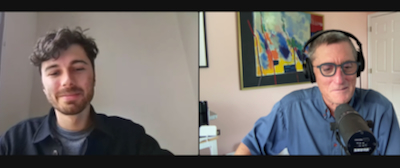
TKC 717 Nyckle Sijtsma
Mar 1, 202400:44:11Tap to summarizeAt left, Founder of New Things Lab I spoke by Zoom today with Nyckle Sijtsma in Delft, Netherlands, about his inspiring design company. I discovered New Things via an Instagram ad for the Memo White Board, a product I truly love. You will hear all about it in this conversation, along with Nyckle's personal mission to "help people think clearly." Links: The Memo White Board, $69 My YouTube video demonstrating the Memo - February 27, 2024 YouTube video of this interview Right-click here to open and save the audio file for this episode.
Transcribe →TKC 716 Matt Gallagher
Feb 25, 202400:34:09Tap to summarizeAuthor of Daybreak: A Novel I spoke with Matt Gallagher by Zoom on February 8, 2024, in advance of the release of his new novel, which was released by Simon & Schuster on February 20. It's a powerful story set in Ukraine at the start of a war that continues into its third year. Highly recommended!
Transcribe →
TKC 548 Seth Godin
Feb 2, 2019Tap to summarizeAuthor of This is Marketing: You Can’t Be Seen Until You Learn to See Interview starts at 13:06 and ends at 45:08 “I have a bunch of regrets about how Amazon is steering the boat these days. One of the things I think they dropped the ball on is they’ve had a hundred opportunities to make Kindle a social platform, and they have dropped it. And they shouldn’t, because that is a really useful transformation--to be able to say ‘Where are the other thousand people who highlighted this? How can I have a discussion with them?’ That’s magic, and you can’t do it.” (Photo by Brian Bloom) News Amazon earnings release Om Malik on Amazon earnings release Tech Tip How to load the Google Play Store onto your Fire tablet Interview with Seth Godin Seth Godin’s blog and The Marketing Seminar This is Marketing: You Can’t Be Seen Until You Learn to See by Seth Godin Genius (formerly known as Rap Genius) commentary by Seth Godin on his book The Purple Cow What to Do When It’s Your Turn (and It’s Always Your Turn) by Seth Godin The Beginning of Infinity: Explanations That Transform the World by David Deutsch An Analog Novel (3 Book Series) by Eliot Peper Content The Killer Collective by Barry Eisler Music for my podcast is from an original Thelonius Monk composition named "Well, You Needn't." This version is "Ra-Monk" by Eval Manigat on the "Variations in Time: A Jazz Perspective" CD by Public Transit Recording" CD. Please Join the Kindle Chronicles group at Goodreads! Right-click here and then click "Save Link As..." to download the audio to your computer, phone, or MP3 player. Tech Tip from John Aga When installing the Google Play Store to your Fire tablet, it is important to do it in order as indicated in the article. I downloaded each one with a minute or two between downloads. I have a file manager app on my Fire tablet that not only displays the name of the file but the time the file was downloaded. You have to download them in a specific order then click and execute them in the same specific order. If you down load them a minute or two apart is easier then telling them apart based on their file name. It went smoothly when I did it. I was sure to download the file specified in the article even if I got messages that there was a newer versions available. I do not know if that was important or not but it was the approach I took. It will be important that Google Play Services and the Google Play Store are the first ones updated before downloading any other apps from the Google Play Store. Some time after I have installed the Google Play Store on my Amazon Fire 10" HD tablet, I started to get the message " cannot access the server" whenever I opened the Google Play Store. To resolve this I went into settings, then clicked on Apps and Games, then clicked on Manage All Applications, then clicked on the app Google Play Store. Then I clicked on "clear cache, clear memory, and force stop". I then rebooted my tablet and the problem was gone. If it should happen again I would just repeat these steps to clear it up. Another tech tip: On a separate subject I have notice that sometimes after I have updated one or more apps, one or more apps will move from the SD card back to internal memory. This is easily resolved. First click on settings. Second click on storage. Third all your settings should be set by default to include "install supported apps on your SD card". The other settings you want have on are to download movies, music, photos, personal videos, audiobooks and ebooks to your SD card. About one third down on the storage page the SD card and amount of storage is displayed. Just below that there is a command to "Move Apps to SD Card". Just below that it will either say "0" apps available or it will say if there are one or more apps available to move back to the SD card. Just click on that and it will automatically move any apps that moved back to internal during an app update and move them back to the SD card. This can take just a few seconds or a minute or two depending on how many apps there are to move back to the SD card. It is worth checking this once and awhile to ensure your Amazon Fire Tablet is using all storage in the most effective way possible.
Transcribe →